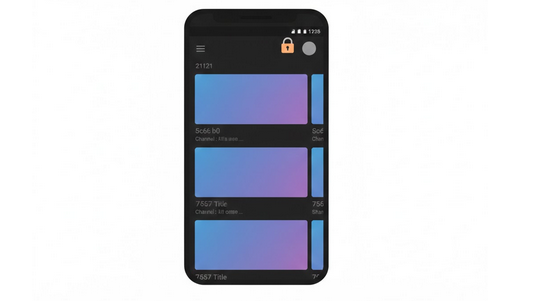
Not all of the people like to be logged in their Google accounts while watching videos on YouTube. And there can be a number of reasons for this choice, including privacy concerns, multi-users access to one device or even just for convenience. Nevertheless, even if it is possible to watch YouTube videos without being logged into your Google account, some of the features will become unavailable.
Features Which Work Without an Account
It is still possible to perform the main functions, such as video search, playback and access to the page with most popular videos without having your account. Also, the following features will become available for unregistered users:
Features Which Work Without an Account
- Nonetheless, there are features which will become inaccessible for people without accounts.
- Subscriptions: You won’t be able to subscribe to any channel and receive notifications about new content.
- History: YouTube won’t be able to provide you with personalized recommendations, because it won’t be able to collect any information about your history.
- Playlist: You won’t be able to create and organize your own playlist.
- Likes and comments: You won’t be able to like videos or leave comments under videos.
- Feed: You won’t be provided with personalized feed and will see only trending and popular videos on your home page.
- “Watch later”: You won’t be able to use “watch later” feature.
Advantages of Privacy Without an Account
There will be no possibility of sharing your data with anyone while watching videos without an account. No viewing history will be stored on Google servers and will not affect your future recommendations. For people who are concerned about privacy, this trade-off will be quite reasonable.
Watching YouTube Vanced Without an Account
YouTube Vanced can work in guest mode. All the features which YouTube Vanced provides, such as ad-free playback, background playback, SponsorBlock, AMOLED dark mode and swipe controls will become available for you. The only thing you won’t be able to do is to personalize it.
It is a great option for people who are concerned about their privacy.
In case you want to personalize YouTube Vanced in the future, you just have to install Vanced MicroG and be logged in to your Google account. It takes just a couple of seconds.
Guest Mode of Website in a Browser
The other way of watching YouTube videos without an account is the website version of YouTube which can be used in your browser. You can use private/incognito mode in order to make sure that no cookies will be saved and YouTube won’t be able to collect any data from your browsing history. What is more, there are modern browsers, such as Brave, which have ad-blocking capabilities by default and you won’t need any additional software.
Tips for Watching YouTube Videos Without an Account
- Bookmark Channels: You can bookmark your favorite channels in browser instead of subscribing.
- Useful Searches: You will have to search for videos manually, because you won’t have personalized recommendations anymore.
- Clear Cookies: YouTube won’t be able to track your temporary actions.
- Private Window: You can use private browsing window to increase your anonymity.
Who Can Use Guest Mode?
- People Concerned About Privacy: Any person who wants to minimize the level of tracking by Google products.
- Users of Shared Devices: Users of family/public devices without harming your personal accounts.
- Casual Users: People who occasionally watch videos and don’t need any subscriptions and playlists.
- Researchers: People who need unbiased search results and algorithms are not influenced by your history.
Conclusion
Watching YouTube videos in guest mode without being logged into your Google account is possible. Although you won’t be able to use some of the features, you will still be able to use other features. Also, watching YouTube Vanced in guest mode will provide you with the opportunity of using ad-free playback and background playback.